vandreytrindade
New member
Hi!
We have an AX PRO on our company and we created several local users.
But we have also shared with some cloud users so they could arm/disarm alarm, monitor cameras, etc from the mobile app (someone told me that there were no limit for that kind of users).
Now, a user has left the company and no matter what I try, it can't be removed.
When I try to create a new user (Mobile client > AX PRO > Settings > User Management > +) it says "Maximum local users reached".
And when I try to access the app with an already shared cloud account, it says about another limit message.
My admin account shows this permission on Mobile: Create/Manage Local Users
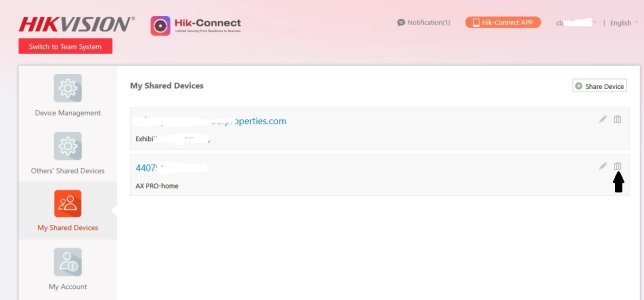
I've already accessed this website (https://www.hik-connect.com/views/main/index.html#/common/personal/DeviceManagement) and removed those users from "My Shared Devices", but they still show on our mobile client and local alarm server.
On our local access to the AX PRO it shows like this, with no option to delete:

We have an AX PRO on our company and we created several local users.
But we have also shared with some cloud users so they could arm/disarm alarm, monitor cameras, etc from the mobile app (someone told me that there were no limit for that kind of users).
Now, a user has left the company and no matter what I try, it can't be removed.
When I try to create a new user (Mobile client > AX PRO > Settings > User Management > +) it says "Maximum local users reached".
And when I try to access the app with an already shared cloud account, it says about another limit message.
My admin account shows this permission on Mobile: Create/Manage Local Users
I've already accessed this website (https://www.hik-connect.com/views/main/index.html#/common/personal/DeviceManagement) and removed those users from "My Shared Devices", but they still show on our mobile client and local alarm server.
On our local access to the AX PRO it shows like this, with no option to delete: